WORKING NOW
MEDIA
Screens, video and IMAG cameras in your lighting previz
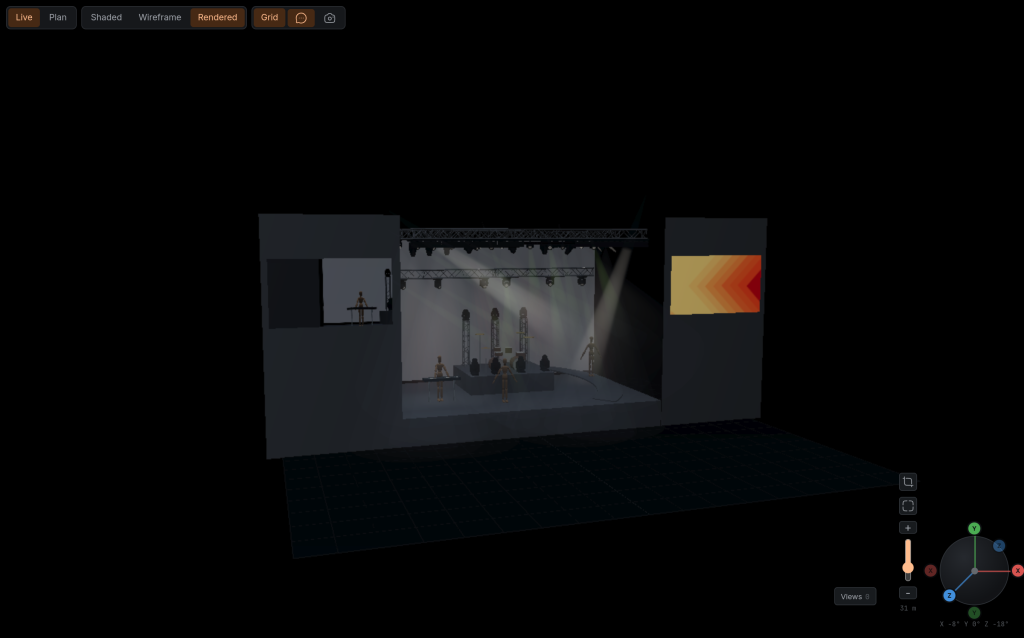
Put the screens of the show into the scene and play on them what the audience will see: video, stills or the picture of a camera placed in the rig. A LED wall upstage and two IMAG screens at the sides can run in the same scene as the light, so you judge the look of the stage as a whole, not the rig on its own.
WHAT IT DOES
- CHANNELS
- A channel is a playlist that one or more screens show. Play, step and loop it in the Player, or import a playlist from an M3U file.
- IMAG CAMERAS
- Place a camera in the rig, set its focal length, look through it, and cut between cameras on the side screens.
- SCREENS FROM MEASUREMENTS
- A screen is set by width and height, flat or curved, and shows a test card until it has a channel.
- YOUR GUESTS SEE IT
- While you present, guests see the same playback and the same camera cut.
- SMOOTH FIRST
- Only cameras currently playing on screens are drawn. Other cameras in a channel's playlist add no live camera view.
- ROUND TRIP IN MVR
- Screens leave an MVR export as video screens and come back as screens.
Depends on
Screens in the scene, and MP4, WebM or image files of your own. Cameras need nothing else: they film the scene.
Not yet
FlexViz previews; it is not a media server or a vision mixer. There is no output to real screens, no mapping or warping, no layers or effects and no timecode. An IMAG camera films the scene, not the venue. Camera pictures exist only in the Live view.
Open your own MVR against this and tell me where it breaks.